You control which investor sees which section by giving each investor a separate link and choosing the visible sections on that link. Each link shows only the sections you turn on, and the Documents section lets you choose individual files.
Set the sections for one investor's link
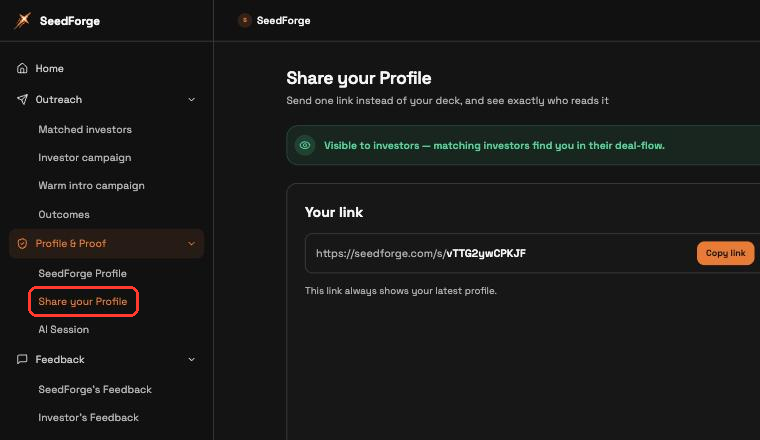
Open sharing controls. Expand Profile & Proof, then click Share your Profile.
Choose the investor's link. Select that investor's named link, or click Create link to add one. A new link copies your Default link's sections.
Open Link Privacy Settings. On that link, open Link Privacy Settings. The section toggles are under Visible sections. The same panel holds Require email to view and Allow deck download, both off by default.
Turn each section on or off. Toggle whole sections: Fundraising, Pitch Recording, Documents, and Team. The same list has Show the chat on your profile, which turns the chat on or off for that link. To share only some files, keep Documents on and use its toggle per file. Your evaluation and score stay on SeedForge's Feedback, where only you see them.
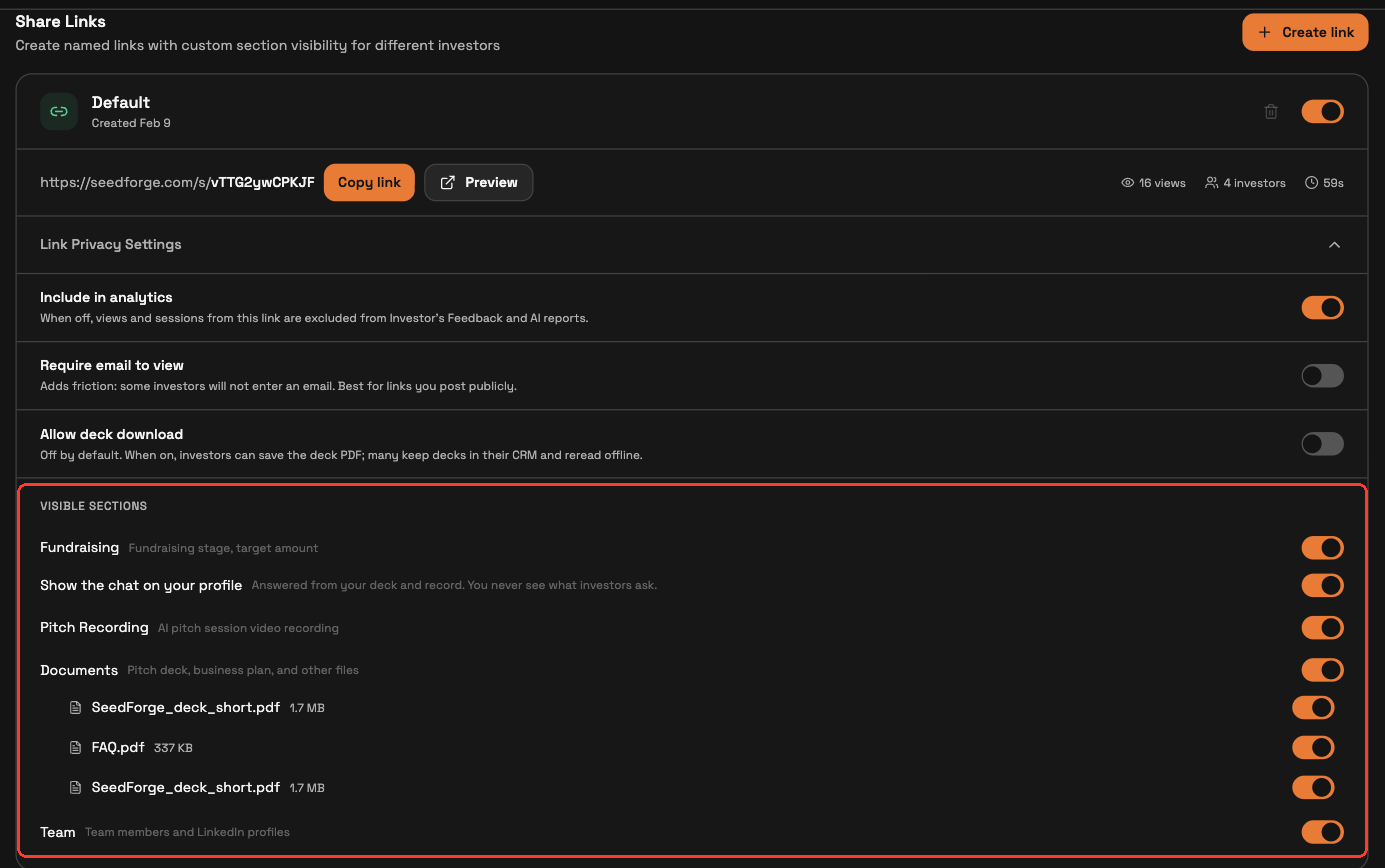
Preview, then send. Click Preview to check what this investor sees, then click Copy link and send it.

Changing or revoking access after you send
Changes take effect immediately. Turn a section off on a link an investor already holds, and it disappears from their view right away, even mid-visit.
To revoke a link, turn it off on Profile & Proof > Share your Profile. The investor then sees a "link not found" message and cannot open your profile. Turn it back on and the same link works again. Deleting a link with the trash icon does the same, and cannot be undone.

Note: Each link is independent. Turning a section off on one investor's link leaves every other link unchanged.
Quick answers
Can I show different sections to different investors?
Yes. Each investor opens their own link, which shows only the sections you turn on for it.
What does an investor see if I turn off their link?
A "link not found" message. Turn the link back on to restore the same link. Deleting it with the trash icon is permanent.
Does an investor see my score?
No. Your evaluation and score stay on SeedForge's Feedback, where only you see them. A link shows the sections you turn on: Fundraising, Pitch Recording, Documents, and Team.