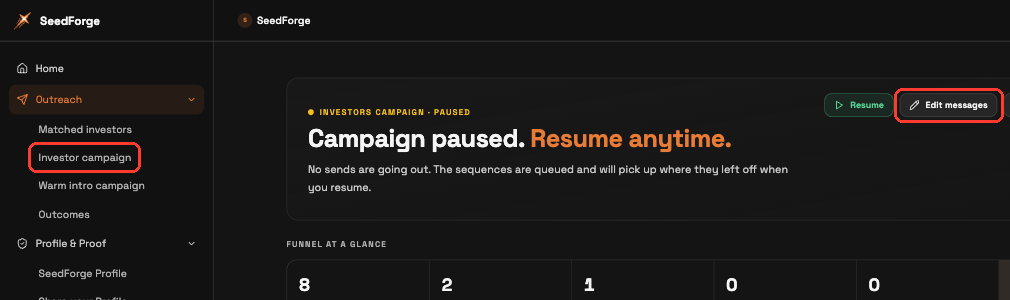
You change them in Edit messages, under Outreach > Investor campaign. The editor holds the messages a campaign sends on your LinkedIn account: the Connection request note, the Follow-up after an investor accepts, and the Second follow-up if there is no reply. Click Edit on any of them, change the text, and click Done. Then click Approve messages.
Open Investor campaign. Expand Outreach, click Investor campaign, then click Edit messages.
Edit the connection request. The Connection request holds the short note sent when you invite an investor to connect. Use the live character counter to keep the connection request within its limit, including the profile link and expanded placeholders.
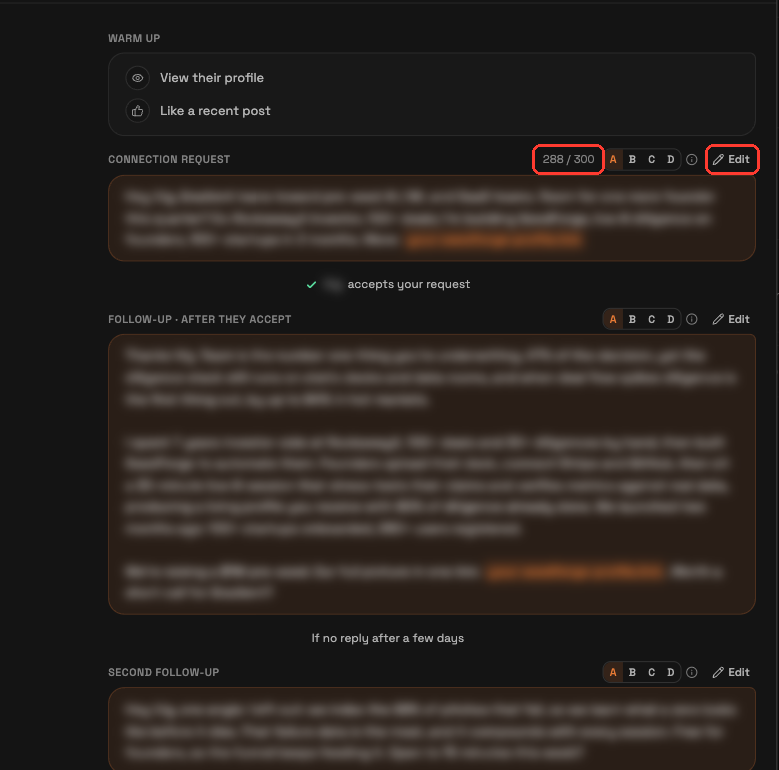
Edit the two follow-ups. Write the Follow-up, sent after an investor accepts, and the Second follow-up, sent if there is no reply. Put the [FirstName] placeholder where you want the investor's first name and SeedForge fills it in for each investor.
Approve your messages. Click Approve messages to keep your edits, or Cancel to leave without them.
Note: You can write and save the Connection request note on any LinkedIn account. Without LinkedIn Premium, connection requests go out without a note. LinkedIn Premium is recommended so every connection request carries your note.
Tip: Keep the Connection request short and specific to the investor. It is the first thing they see, so give one concrete reason to look.
Quick answers
Can I edit the messages after my campaign starts?
Yes. Edits take effect for investors you have not contacted yet, and messages already sent stay as they were.
How long can the connection request be?
Use the live character counter. The profile link and expanded placeholders count toward the limit.
How do I personalize each message?
Put the [FirstName] placeholder where you want the investor's first name. Each investor also gets their own SeedForge Profile link automatically.