You can ask for your unused wallet balance back. A refund for a booked call that never happens is reviewed by support.
Withdraw your unused balance
A withdrawal returns your full balance to your card. SeedForge processes full withdrawals only, with no partial option.
Open your wallet. The Wallet balance card shows your balance with two buttons, Request withdrawal and Top up.

Start the withdrawal. Click Request withdrawal. A confirmation dialog titled Request a withdrawal? opens and shows the exact amount.
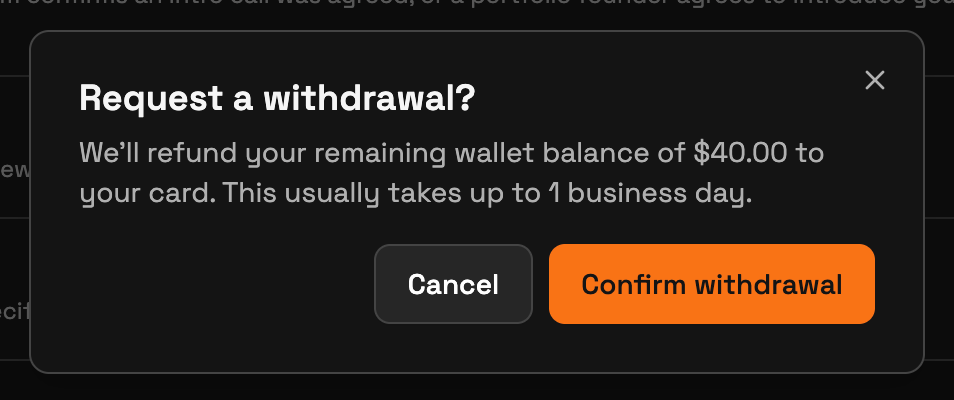
Confirm. Click Confirm withdrawal to request your unused balance back to your card. The dialog says this usually takes up to one business day. Allow time for the refund to reach your card.
Note: A withdrawal empties your wallet. After your free trial, outreach pauses when your available balance is $20 or less. Use Top up in Billing to add funds. A campaign paused for low balance can resume automatically once the available balance is above $20. A campaign you paused yourself still needs Resume.
Refund a charge
If a booked call does not happen, try to arrange a new time in the same LinkedIn conversation. Contact support with the conversation and charge details to ask for a review. Support will confirm whether a refund applies.
Support reviews each missed-call refund request and confirms whether a refund applies.
Questions about a specific charge: contact support@seedforge.com.
Quick answers
How long does a SeedForge withdrawal take?
The withdrawal dialog says this usually takes up to one business day. Allow time for the refund to reach your card.
Can I withdraw only part of my balance?
No, SeedForge processes full withdrawals only. See the note under Withdraw your unused balance for how this affects outreach.
Can I get a refund for a call that never happened?
If a booked call does not happen, try to arrange a new time in the same LinkedIn conversation. Contact support with the conversation and charge details to ask for a review. Support will confirm whether a refund applies.