Share Analytics combines link activity with the identity attached to an outreach link and any email the visitor supplies.
Open Feedback > Share Analytics to see visits, reading time and the visitor log. Use the link and period filters to narrow the activity you are reviewing.
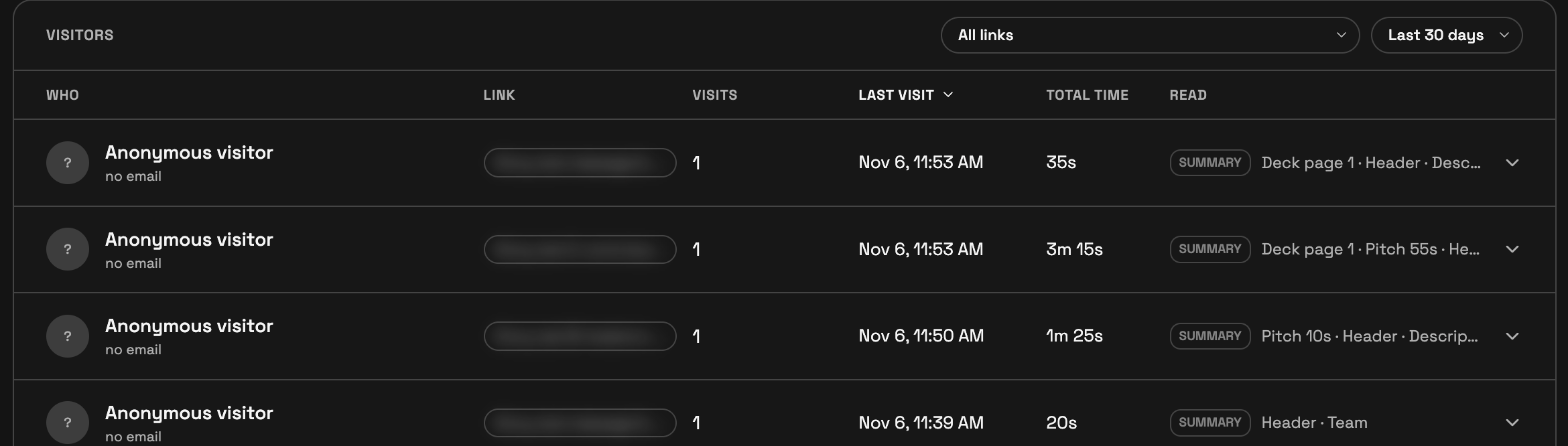
What identifies a visit
An outreach link. The visitor log can attach the name, title and firm associated with the recipient of an outreach link. A forwarded link can still be opened by someone else.
An email step. If you enable Require email to view, the visitor supplies an email before opening that link's material. This records the address they supplied.
The link used. Activity also belongs to the link that opened the profile. A link can be forwarded, so its intended recipient alone is insufficient to identify every visitor.
Choose whether a link asks for an email
Open Profile > Share your Profile > Share Links. Open the link's settings and use Require email to view. Preview the link to check the visitor's first step.
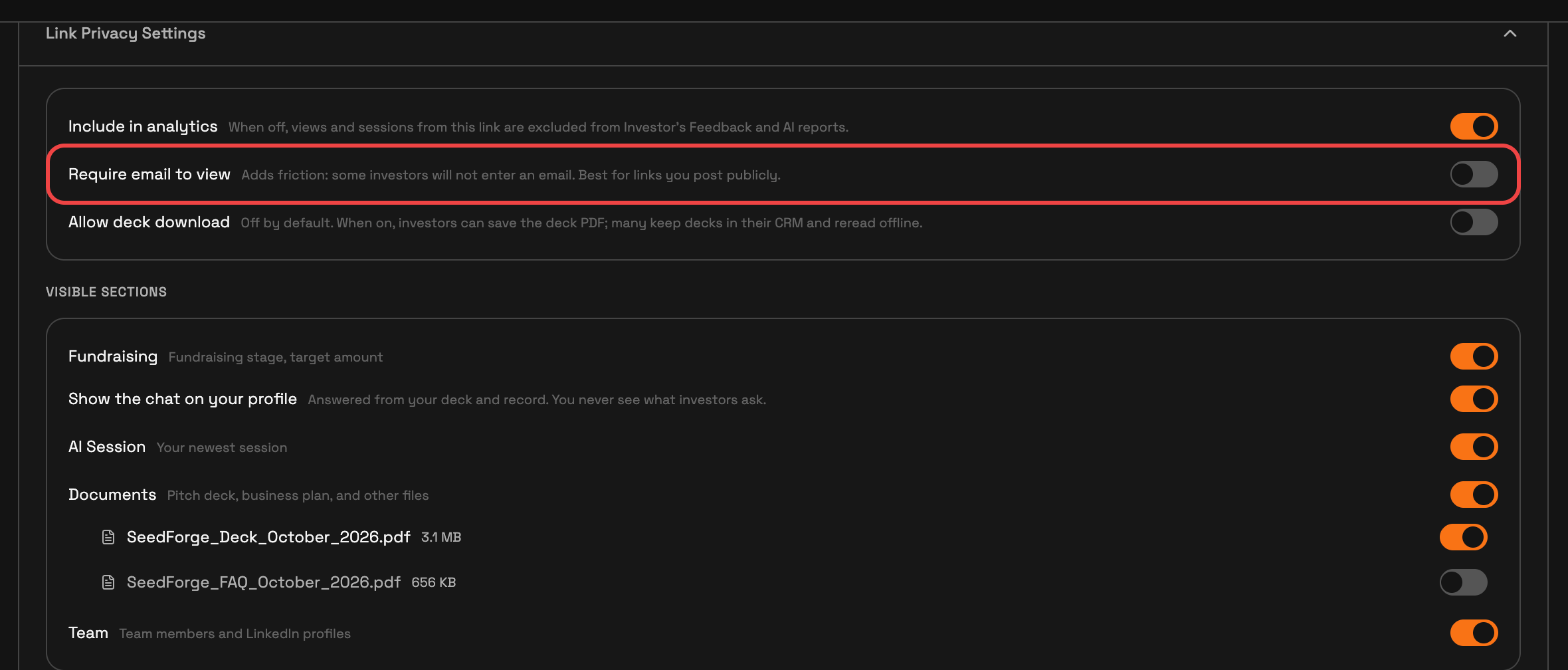
The email requirement belongs to that link. Keep the setting in mind if it is also your default link, because Discovery needs the default link to be enabled and open without an email gate.
Reading and following are separate
A visit shows someone opening the profile. An active follow appears in Profile > Your followers, with its start date and access level. That list is the place to check who follows you.
The investor decides whether to follow material updates or a condition. Their private condition stays outside the founder's view.
Use the detail carefully
Look at the reading pattern alongside the source of the visit. Use a long visit as a cue for what to discuss next; an investor's intent shows in what they say and do.
For unnamed patterns and suggestions, open Feedback > Investor's Feedback. The visitor log and that feedback answer different questions: who opened the profile, and what the available activity suggests improving.
If a visit looks wrong, send support the link name and the date shown in the log. Include the expected result so we can investigate the specific entry.
Quick answers
Does every link opening identify a person?
Identity depends on the outreach-link and email information available for that visit. A link can also be forwarded.
Where do I find followers?
Open Profile > Your followers for active follows and their access levels.
Does the visitor log show a follower’s condition?
Conditions stay private to the investor. The log shows reading activity.
For help, email support@seedforge.com.