Deep Insights is now two pages. Share your Profile shows how investors read your profile: visits, people, time, how far they read your deck, and a log of every visitor. Investor's Feedback shows what investors think: key findings, recommended actions, and the arguments and risks they reacted to. Both are free.
Open them from the left menu: Profile & Proof > Share your Profile and Feedback > Investor's Feedback.
What Share your Profile shows
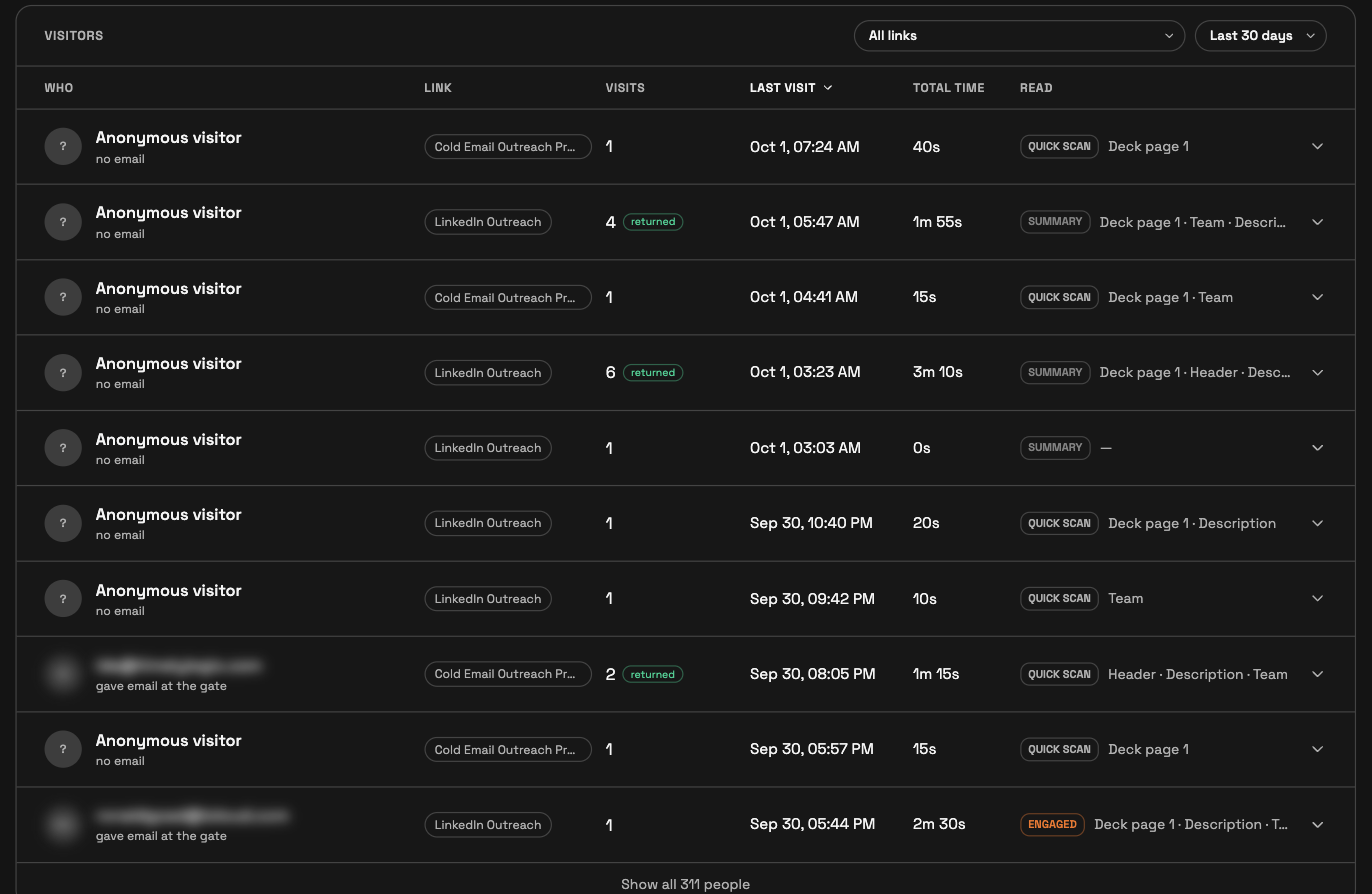
Each investor gets their own link, so every visit ties to the link it came through. A visitor shows by email only if they gave one, for example on a link where you turned on Require email to view.
The last 30 days in numbers. Visits, People, Avg. time on profile, Chat questions asked, and Came back for a second look.
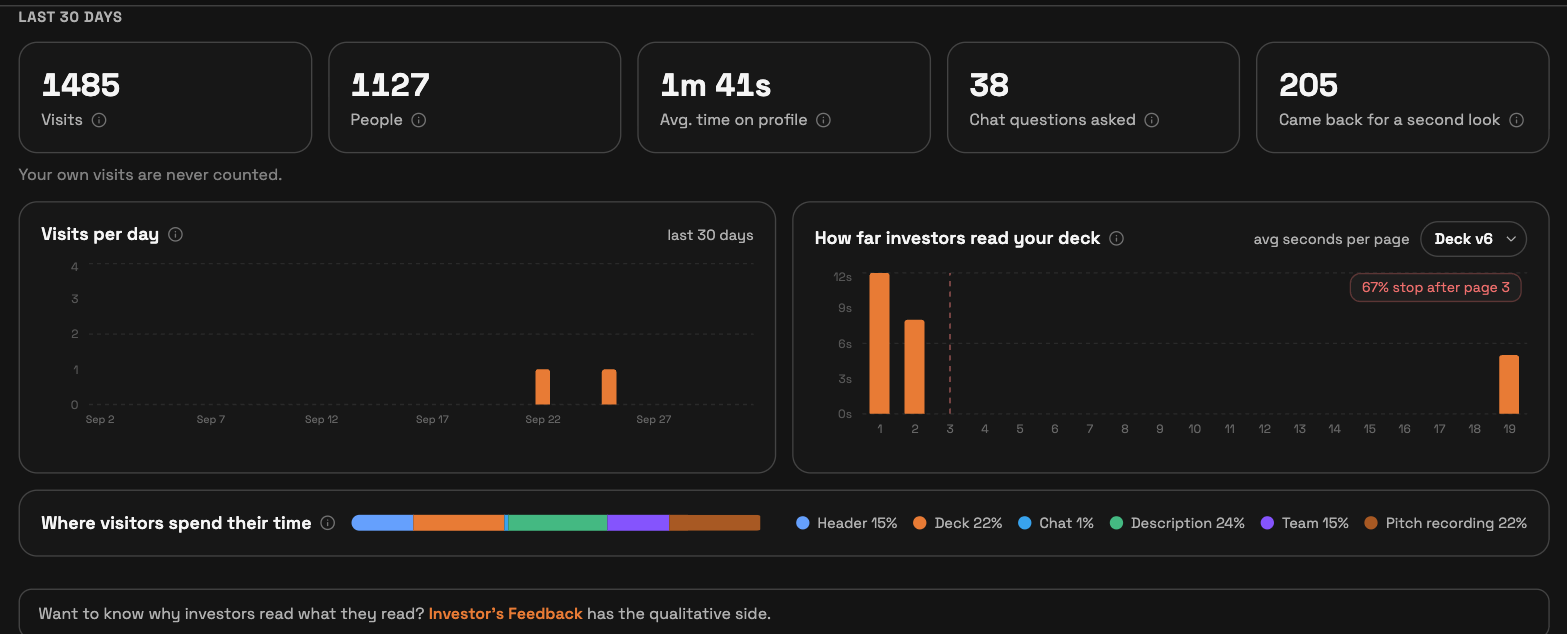
Visits per day. A daily chart for the same period.
How far investors read your deck. Average seconds per deck page, with a marker where most readers stop. Pick a deck version to see one version at a time.
Where visitors spend their time. Time split across the header, deck, chat, description, team, and pitch recording.
Visitors. Each visitor, the link they used, visits, last visit, total time, and how deep they read. Filter by link and by period.
Under your link at the top of the page, Email me when an investor views lets you choose Instant, Daily digest, or Off.
What Investor's Feedback shows
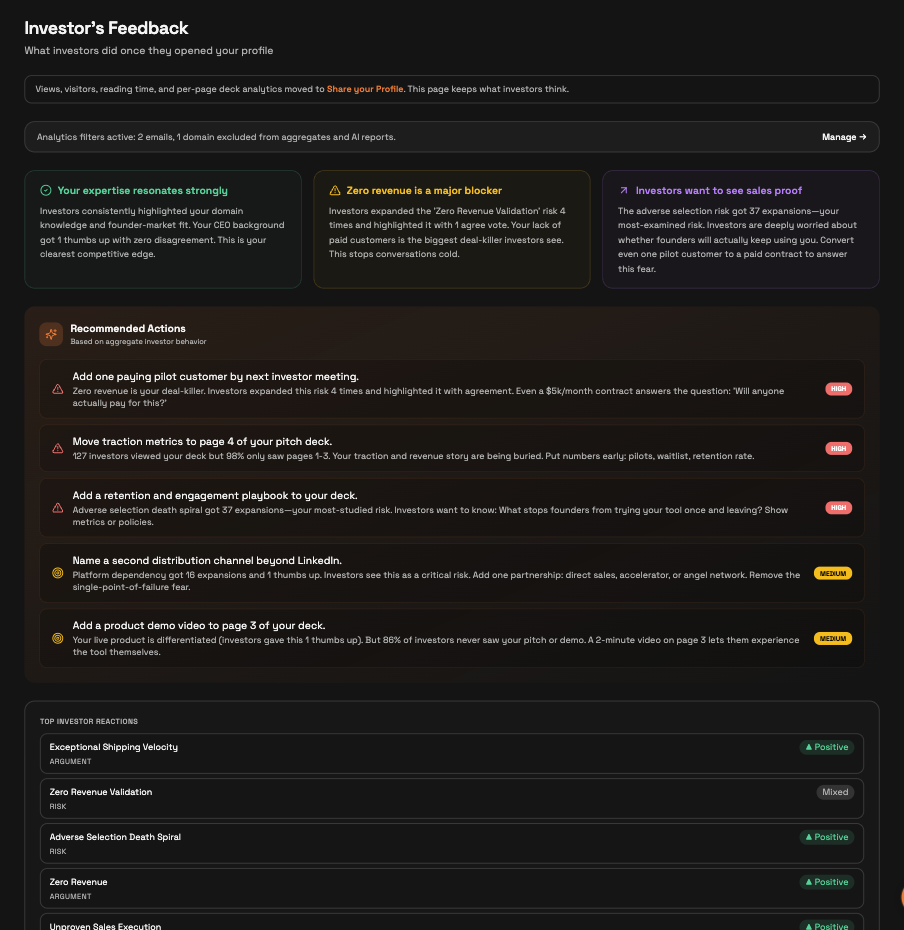
Key findings. Short cards on what investors responded to most.
Recommended Actions. Next steps ranked HIGH or MEDIUM from aggregate investor behaviour.
Top investor reactions. The arguments and risks investors reacted to, marked Positive or Mixed.
Dimensions and risk concerns. How investors perceived Team, Traction, Market, Problem/Solution, and Vision, and which risks they expanded, ranked by concern level.
Generated insights can refresh after at least 24 hours when there is new activity. Some sections appear only after enough investors interact with your profile.
Your own visits are never counted. A banner on Investor's Feedback lists any emails and domains you excluded; click Manage to change them.
Quick answers
Are these pages free?
Yes. Share your Profile and Investor's Feedback are both free.
How does SeedForge know which investor viewed my profile?
Each investor gets their own link, so every visit ties to the link it came through. A visitor shows by email only if they gave one.
Do my own profile visits show up?
No. Your own visits are never counted.