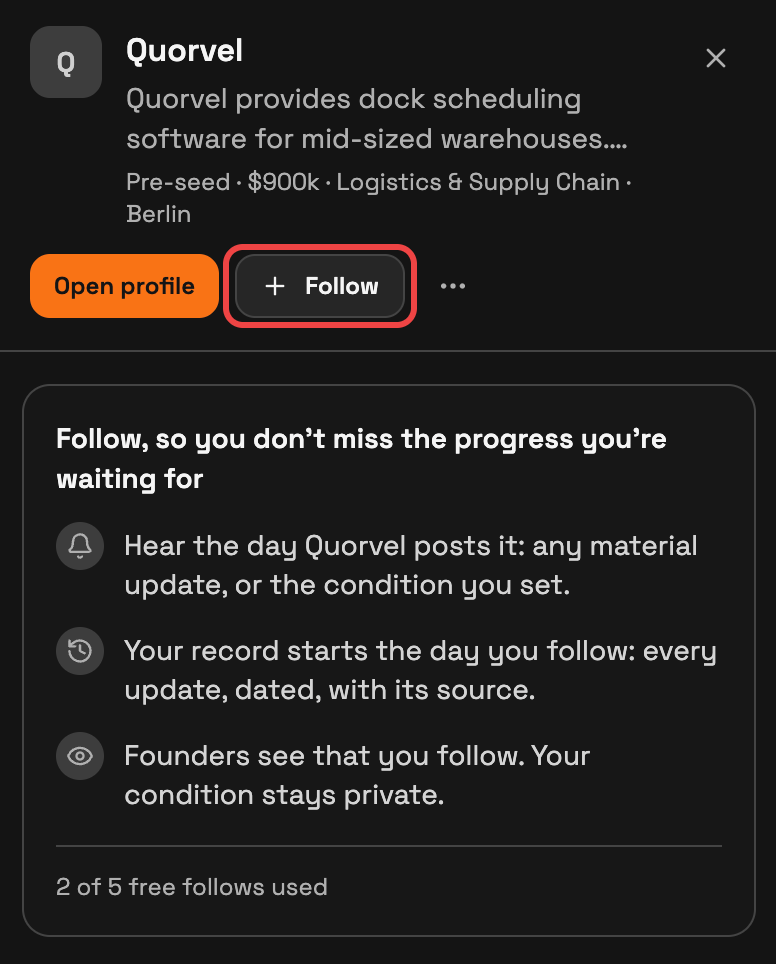
Choose Follow on a startup, then select Material updates or set a condition you want SeedForge to watch for.
In your investor account, open a startup from Search, Following, or a profile link the founder shared. Choose Follow beside the startup's name.
Material updates follows major changes. Set a condition lets you write the milestone you care about, such as a first paid pilot. Choose Follow to save your choice.
Founders see that you follow. Your condition stays private.
If you opened the link without signing in
A working founder link lets you read the sections it shares. If you are not signed in, Follow this startup at the top of the profile, or Follow this company further down, opens a window with a Sign up button.
Sign up or sign in with your investor account, open the founder's link again and choose Follow beside the company name. The startup then appears in your Following list.
Find your updates
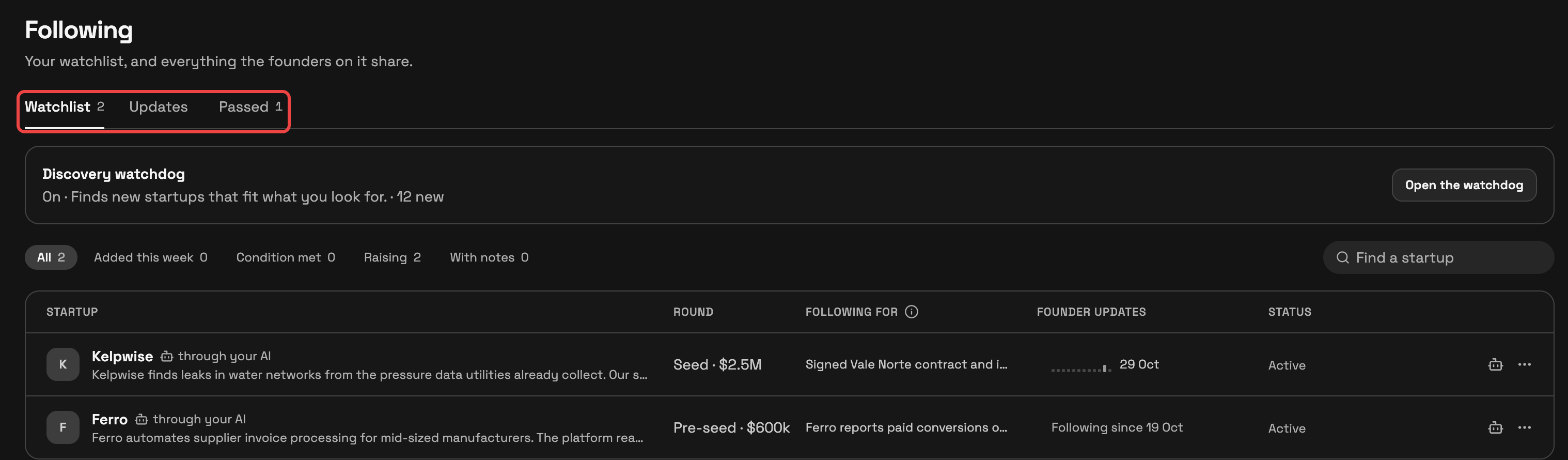
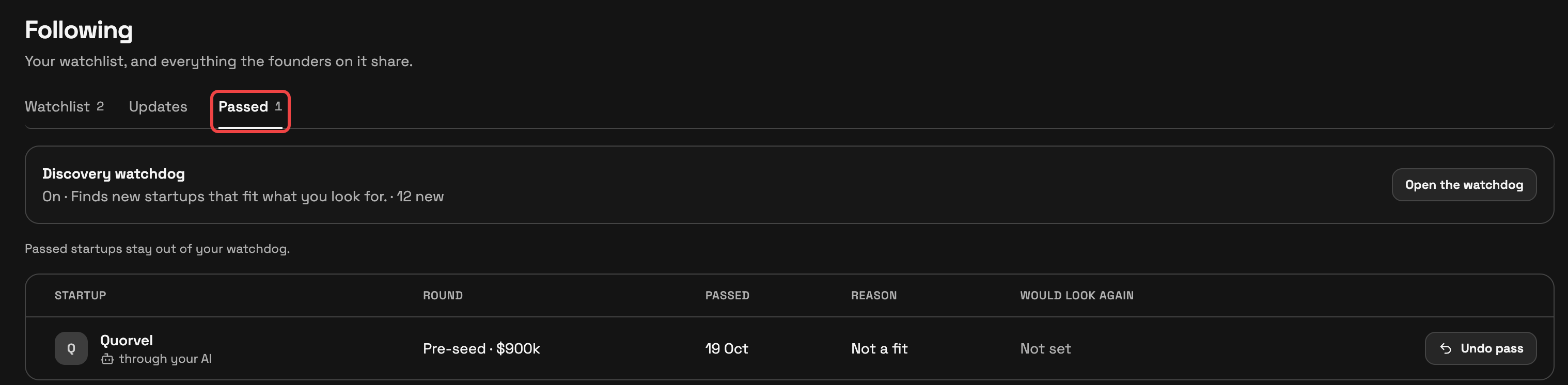
Open Following. Watchlist holds the startups you follow, Updates holds alerts, and Passed holds your saved passes. Open a startup to see changes since you followed it.
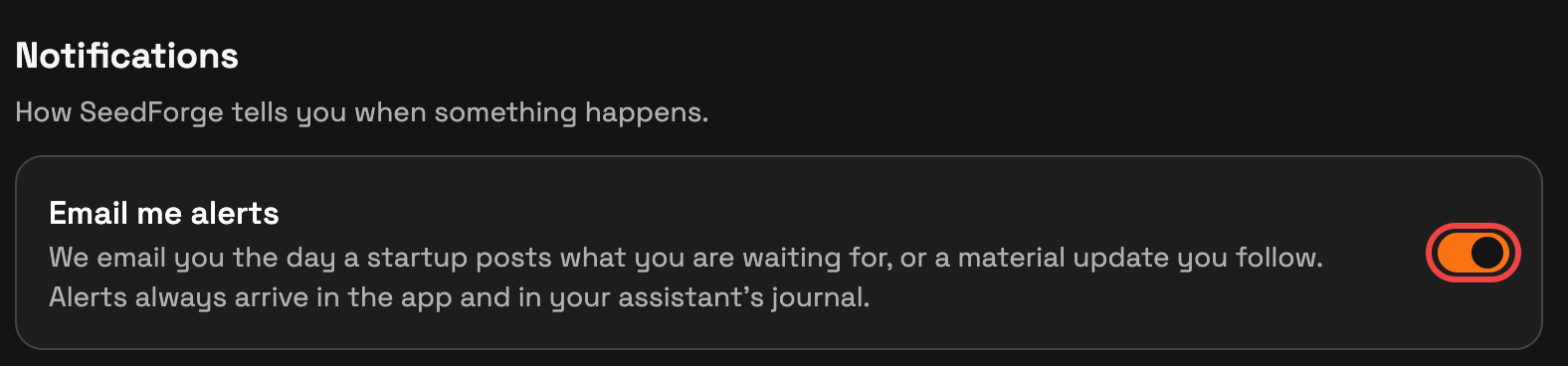
Updates can arrive by email too. In Settings > Notifications, use Email me alerts to choose email delivery. Your app updates remain available with email switched off.
When your condition is met
SeedForge shows Condition met and switches the follow to material updates. The follow stays active and keeps its allowance place. Open the update to read the source behind it.
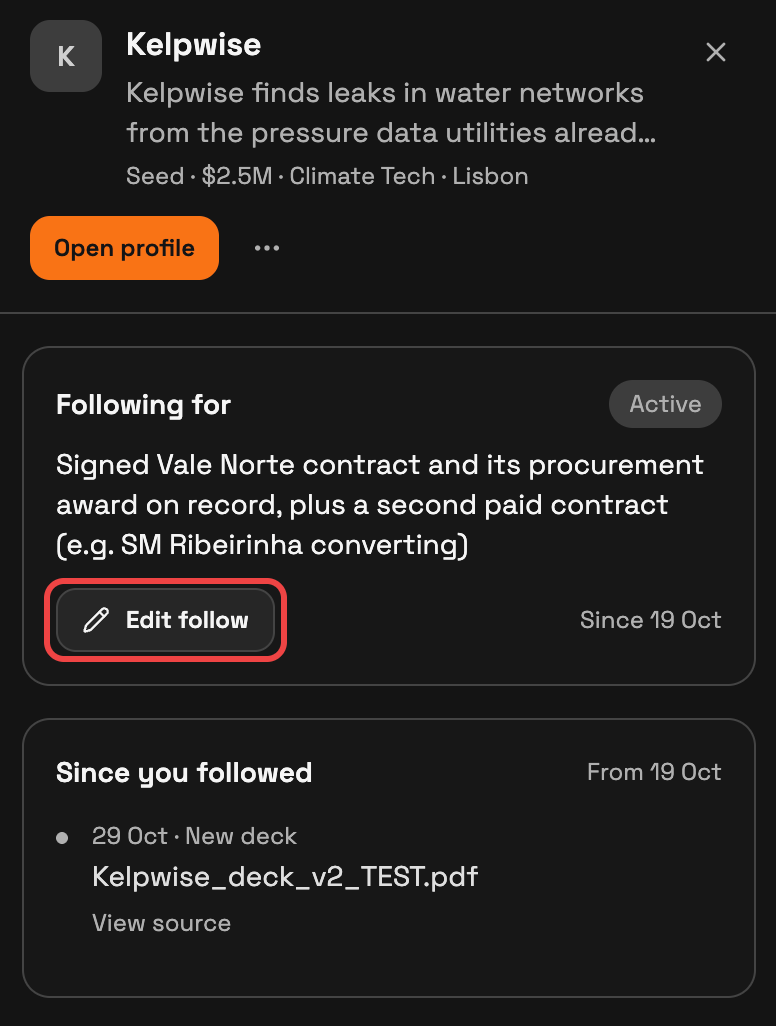
To follow a new condition, open the startup in Following and choose Edit follow in its Following for card. Enter the new condition and save. A different condition resets the met status.
Edit, stop or pass
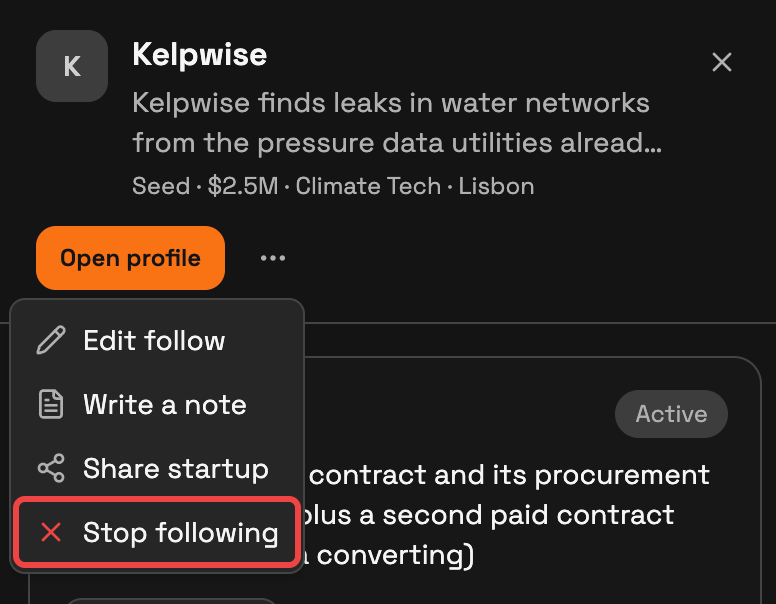
Open the startup’s … menu to edit or stop following. Confirm Stop following to end it and free its place. To pass instead, stop following first, then choose Pass privately.
If the follow says Waiting, check whether your investor account check is pending or your allowance is full. The follow becomes active when that requirement is met.
Quick answers
Does a met condition end my follow?
It continues as a Material-updates follow. You can edit it or stop following whenever you choose.
Does passing start a follow?
A pass saves your decision privately. Choose Follow separately when you want future updates.
Can I follow through a founder’s link?
Yes. In your investor account, use Follow on the working link. The founder’s sharing settings determine what you can read.
For help, email support@seedforge.com.