SeedForge lets you find startups, read the evidence founders share and follow the companies whose progress you want to see.
Each startup has a SeedForge Profile built from its deck and documents. An optional recorded AI Session adds the founder's answers. You can read the available material and decide what it means for your investment criteria.
Find and read startups
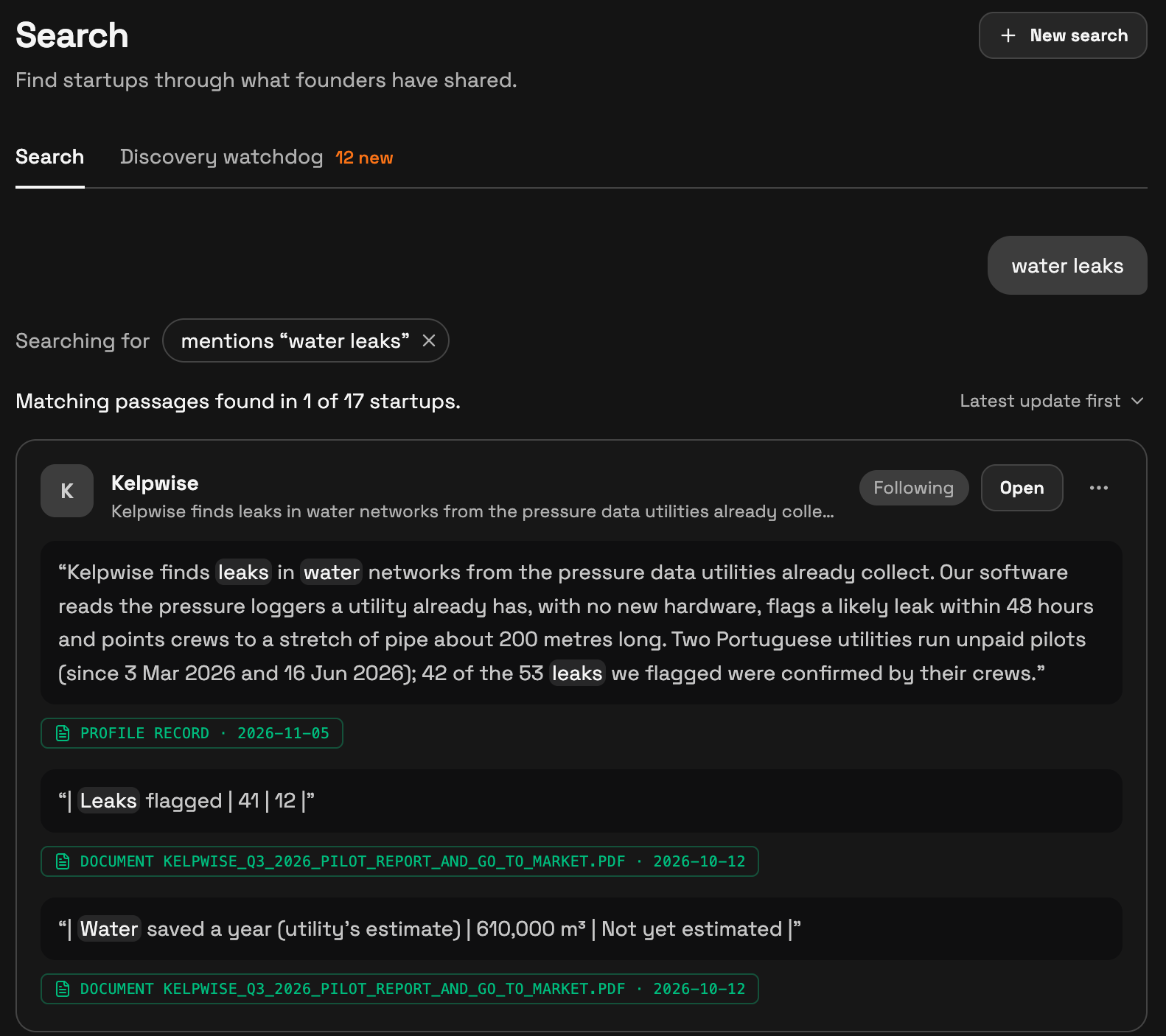
Open Search in your investor account. Founders who choose Discovery can appear to verified investors. A founder can also send you a profile link, including for a startup in stealth.
The link and your access to the startup determine what opens. Use Ask the profile when chat is available in your view, and use its sources to check the answer.
Follow progress
Choose Follow on a startup. Pick Material updates or set a condition, such as a first paid pilot. Your Following page holds your Watchlist, Updates and Passed tabs.
Founders see that you follow. Your condition stays private.
When a condition is met, the follow continues with material updates. You can edit it or stop following from the startup's … menu.
Updates appear in the app and can arrive by email. Your connected AI can retrieve them when you ask. All follow plans use these same channels.
Use your own AI
Open Connect your AI for the server address and setup guide. Once connected, you can save your AI's analysis for later. You choose whether to follow.
See How do I connect my own AI to SeedForge? for the connection steps and a first question to try.
Choose an allowance
Searching, reading, asking and connecting your own AI are free, and every investor can follow 5 startups. Paid plans: 25 follows for $49 a month or 100 for $149 a month. The first 100 investment firms get 25 free follows for two years.
SeedForge takes no fee or carry on anything you invest in.
The Follow window shows how many of your follows are in use. See How many startups can I follow? for plan details and invitations.
To start, sign in or create an investor account at seedforge.com/app. Set your focus so your searches have useful context.
Quick answers
Where do the claims come from?
From the founder's deck, documents, updates and any recorded session. Open the cited source to judge the evidence.
Can I keep a read without following?
Yes. Saving a read keeps the analysis for you. Following is a separate choice.
Can I invite a founder?
Yes. Use Invite a founder in Following, then send the link or drafted message yourself.
How do I stop receiving outreach?
To stop messages sent through SeedForge Outreach, email privacy@seedforge.com and ask to be removed.
For help, email support@seedforge.com.