Your links, Discovery choice and follower settings determine which profile material investors can open.
Start with Profile > Share your Profile. Review Share Links and SeedForge Discovery, then check Profile > Your followers for the people following you.
Your profile access
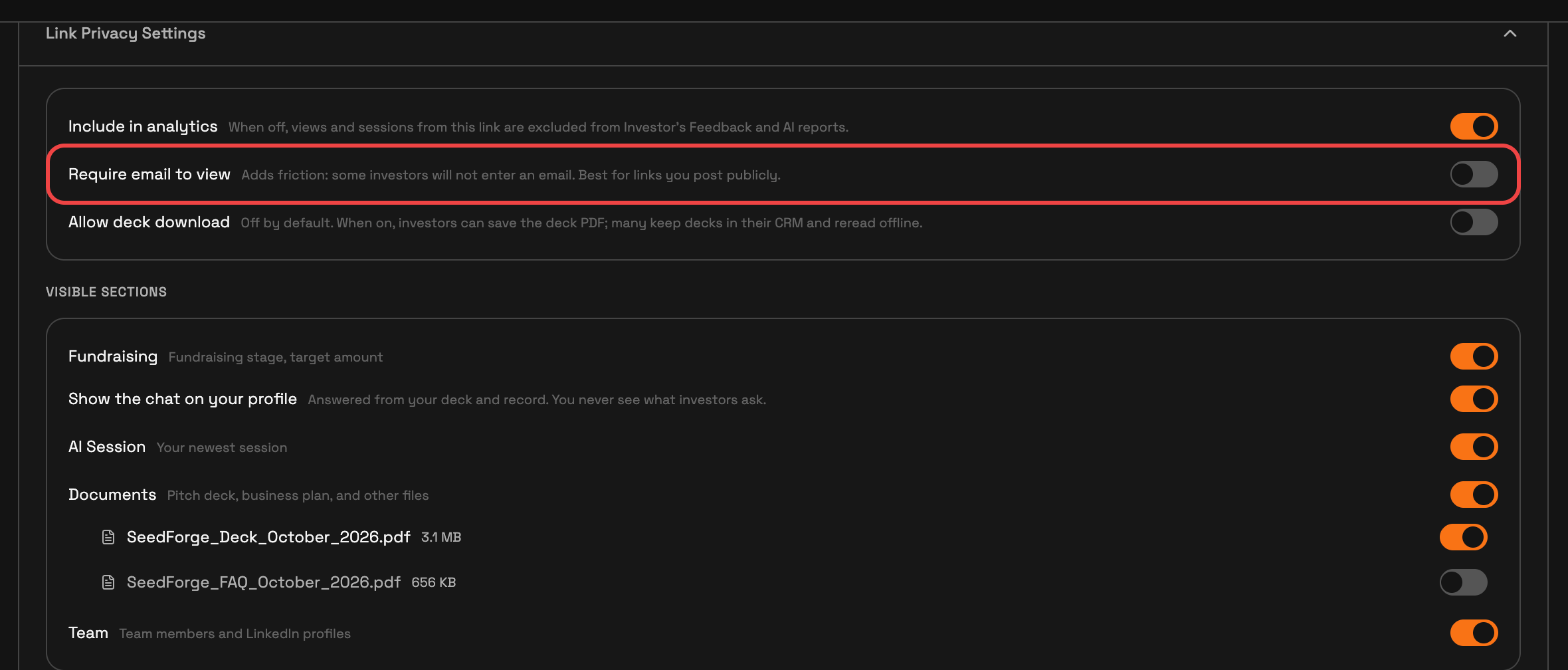
A working link opens the sections and documents you chose for that link. Anyone holding it can use that access. You can add an email requirement, change the sections or switch the link off.
Followers receive the default link's view plus what your follower settings add in Profile > Your followers > Privacy settings. Until you save those settings, they add the chat on your profile and your AI Session. Approved followers whose account check has passed can receive more. Active links the app has recorded them opening also add access, so review those links and group settings together. They get alerts about your material updates, or about the milestone they set.
Stealth removes your startup from Discovery. Working links and existing follows continue. To close those routes, use the link settings and follower controls separately.
Your documents and updates
Choose which documents a link or group can read. A fact can appear in several sources, so check all shared documents before assuming that fact has become private.
Keep anything you want to retain privately out of the sources you share. Readers can retain information they have already received.
Reading activity and feedback
Feedback > Share Analytics shows visits and reading activity. An outreach link can carry the intended recipient's identity. An email-required link records the email the visitor supplies.
Investor's Feedback presents unnamed feedback from reading and AI activity. An individual investor's condition and private assessment stay outside your follower list.
Storage and processing
The Security page lists hosting, encryption, AI providers and retention. Primary servers are in the EU. Service providers may process information in the EU, the US or other locations. Data is encrypted in storage and transit.
SeedForge uses providers to process information needed for the service. Read the Security page for the provider-specific terms and exceptions, including the video avatar service used in a live AI Session.
For an export or deletion request, contact privacy@seedforge.com from your account email. Say which account or startup your request covers.
Quick answers
Can I share different documents with different readers?
Yes. Use link settings and follower access together to choose each reader's view.
Does changing a setting remove copies someone already received?
Treat material already read or delivered as shared. Update your settings to control future access.
Where can I check data handling details?
Use seedforge.com/security for the current provider and retention details, or email privacy@seedforge.com.
For help, email support@seedforge.com.