You control all three from your campaign dashboard. Pause stops new sends and keeps your sequences queued. Resume starts the queue again from where it left off. To end a campaign, disconnect your LinkedIn.
Pause your campaign
Open your campaign dashboard. Open Profile > Share your Profile > SeedForge Outreach. Choose Investor outreach or Warm-intro. Each track has its own Pause and Resume controls.
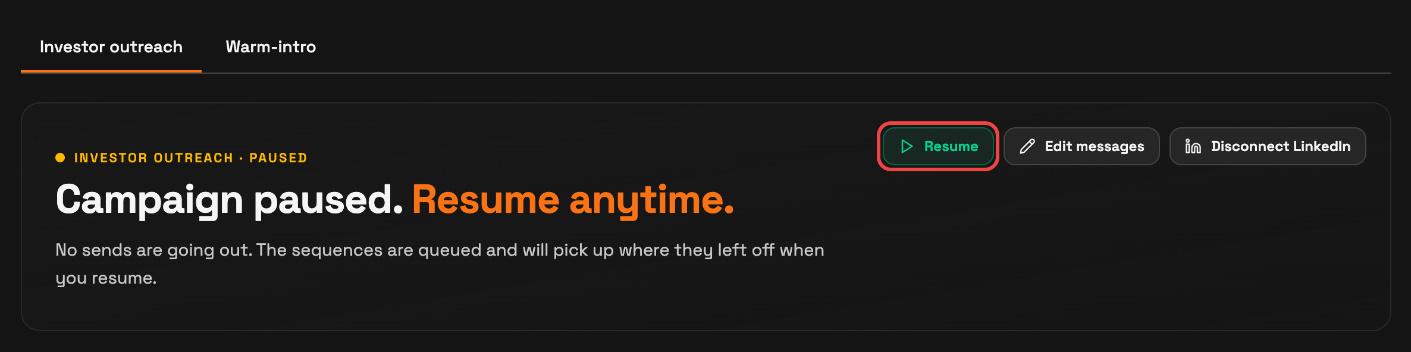
Click Pause. Use Resume on the same campaign track when you are ready to continue. No new connection requests or messages go out. Your sequences stay queued and pick up where they left off when you resume.
Note: Pausing stops new sends. A confirmed outcome from a conversation already started can still be charged. Shared profile links stay available until you switch them off in Share Links. Profile views are free.
Resume your campaign
Click Resume. Resume the campaign track you paused to enable sending again.
End your campaign
Ending a campaign means disconnecting your LinkedIn. There is no separate end button.
Click Disconnect LinkedIn. New sends stop, and the campaign stops reaching new contacts. A confirmed outcome from a conversation already started can still be charged.
Conversations already open in your normal LinkedIn inbox keep working. Your wallet balance stays available and is refundable on request, through Request withdrawal. See How do refunds and withdrawals work?.
A campaign also winds down on its own. When it reaches every matched contact, it stops sending new connection requests, and conversations and shared links already out keep working.
Tip: If you only need a short break, pause your campaign instead of disconnecting. Resuming is one click; reconnecting LinkedIn takes more setup.
Quick answers
Does pausing stop the charges?
Pausing stops new sends. A confirmed outcome from a conversation already started can still be charged. Shared profile links stay available until you switch them off in Share Links. Profile views are free.
How do I fully end a campaign?
Disconnect LinkedIn to stop new sends. A confirmed outcome from a conversation already started can still be charged. Conversations already in your LinkedIn inbox keep working.
Why did my campaign pause on its own?
After your free trial, outreach pauses when your available balance is $20 or less. Use Top up in Billing to add funds. A campaign paused for low balance can resume automatically once the available balance is above $20. A campaign you paused yourself still needs Resume.
For help, email support@seedforge.com.